 The Office of Emergency Medical Services (OEMS) is responsible for planning and coordinating an effective and efficient statewide EMS system. Our programs and services are designed to assure quality prehospital patient care, from when the call is received by the 911 center to the delivery of the patient to the trauma center or hospital.
HIGHLIGHTS
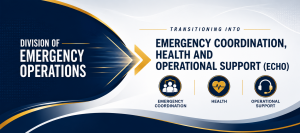 |
Division of Emergency Operations Changes Name to Emergency Coordination, Health and Operational Support (ECHO) On July 1, 2026, the Division of Emergency Operations changed its name to Emergency Coordination, Health and Operational Support (ECHO). ECHO embodies the true work done by the Emergency Operations staff. While we will continue to build upon and improve our ability to provide state-level emergency response coordination, we will work with both our internal and external stakeholders to determine additional opportunities to provide operational support to EMS agencies and providers throughout the Commonwealth, to include a renewed commitment to our 911 partners and improving provider health, wellness, and safety. |
 |
Office of EMS Regional Town Hall Meetings Scheduled (click for additional information) The Virginia Office of EMS is hosting a series of Regional Town Hall Meetings throughout the state. These meetings provide an opportunity for EMS providers and agencies to hear updates, ask questions, and engage directly with Virginia Office of EMS staff and members of the Designated EMS Council. Please refer back as schedules and information are updated. |
 |
OEMS Regions Update As part of the Virginia Department of Health's (VDH) Office of Emergency Medical Services’ (OEMS) ongoing work to enhance Virginia’s Emergency Medical Services (EMS) System, we are announcing the recent transition to seven EMS Regions, effective January 1, 2026. This transition is designed to improve the efficiency of EMS operations, reduce administrative costs and improve funding distribution. more>> |
 |
OEMS Health and Safety & Mental Health Website For first responders, seeking help can be a hard but important first step to getting better. If you or someone you know needs support, mental health tools are just a few clicks away on the updated OEMS Health and Safety & Mental Health website. Browse the revamped Research Library, share with your networks using the Promotional Toolkit, and fill out our Stakeholder Engagement Survey to let us know how else to continually improve our mental health tools. more>> |
 |
2025 Virginia Recertification Requirements Virginia has adopted the new National Continued Competency Program (NCCP) model set forth by the National Registry of EMTs, with an effective date of October 1, 2023 for all certification levels. While maintaining the NCCP's framework, Virginia's approved plan provides customized details outlining standardized course equivalencies, credit allocations across topic domains, and maximum hours accepted for each course offering. Click here for more information.>> |
 |
EMS Continuing Education Resources The Office of EMS is proud to provide complimentary online education and support to local Fire and EMS with content spanning all aspects of pre-hospital care. Whether improving your skills or looking for specific EMS education topics for re-certification, we have a one-stop shop for your needs. We are dedicated to providing all EMS providers with quality online continuing education in a variety of formats. More >> |
109 Governor Street, Mezzanine Floor, Richmond, VA 23219
1-800-523-6019 (VA only) • 804-888-9100 (Main Office)
Sign up for Updates from the Virginia Office of EMS